The iPhone 18 Pro is expected to land this fall, and the rumored starting price is a steep $1,299, roughly $200 more than the iPhone 17 Pro’s debut. If that number stings, here is the good news: your current phone is worth more than you think right now, and a few simple steps before you hand it over can be the difference between a lowball offer and top dollar. This guide walks you through Apple’s boosted trade-in values, exactly how to prep and wipe your old iPhone the right way, and where to sell it to walk away with the most cash.
The short answer
To get the most money for your old iPhone before upgrading to the iPhone 18 Pro, back up your data, turn off Find My, sign out of iCloud, unpair your Apple Watch and AirPods, erase all content and settings, and remove your SIM card. Then compare offers, because a cash buyer like UsedphoneZ often pays more than Apple’s trade-in credit and pays you on the spot instead of in store credit.
Why your old phone matters more than usual this year
Apple is changing its playbook in 2026. The pricier iPhone 18 Pro and Pro Max are expected in September, while the standard, cheaper iPhone 18 has reportedly been pushed to spring 2027. In plain terms, if you want a new iPhone this fall, the Pro is essentially your only option, and it is rumored to be the most expensive standard iPhone yet.
That makes the money you get for your old device more important than ever. Every dollar of trade-in or resale value comes straight off that $1,299 price tag. The better you prep your phone and the smarter you choose where to sell it, the less the upgrade actually costs you.
What is the trade-in value for an older iPhone?
Apple raised its trade-in values twice this summer, so your old device is worth a little more than it was a few months ago. If you have an iPhone 16, Apple now lists up to $480 in trade-in value, and an iPhone 16 Pro can reach up to $630. Similar bumps hit Apple’s computers, tablets, and smartwatches too.
Here are the current maximum trade-in values by model.
| iPhone model | Max trade-in value | Previous value |
| iPhone 16 Pro Max | $720 | $695 |
| iPhone 16 Pro | $630 | $560 |
| iPhone 16 Plus | $485 | $465 |
| iPhone 16 | $480 | $460 |
| iPhone 16e | $310 | no change |
| iPhone 15 Pro Max | $530 | $490 |
| iPhone 15 Pro | $420 | $410 |
| iPhone 15 Plus | $340 | $325 |
| iPhone 15 | $335 | $320 |
| iPhone 14 Pro Max | $405 | $375 |
| iPhone 14 Pro | $335 | $320 |
| iPhone 14 Plus | $235 | unchanged |
| iPhone 14 | $235 | $225 |
One important thing to understand: these are maximum values for a phone in near-perfect condition, and they are paid as Apple store credit, not cash. Trade-in numbers also shift with the market, usually dropping fastest right after a new model launches. So the value you see today is often the most you will get, and a cracked screen or worn battery can knock the real offer well below the max. That is exactly why comparing offers, and reading to the end of this guide, pays off.
What to do before trading in your old iPhone
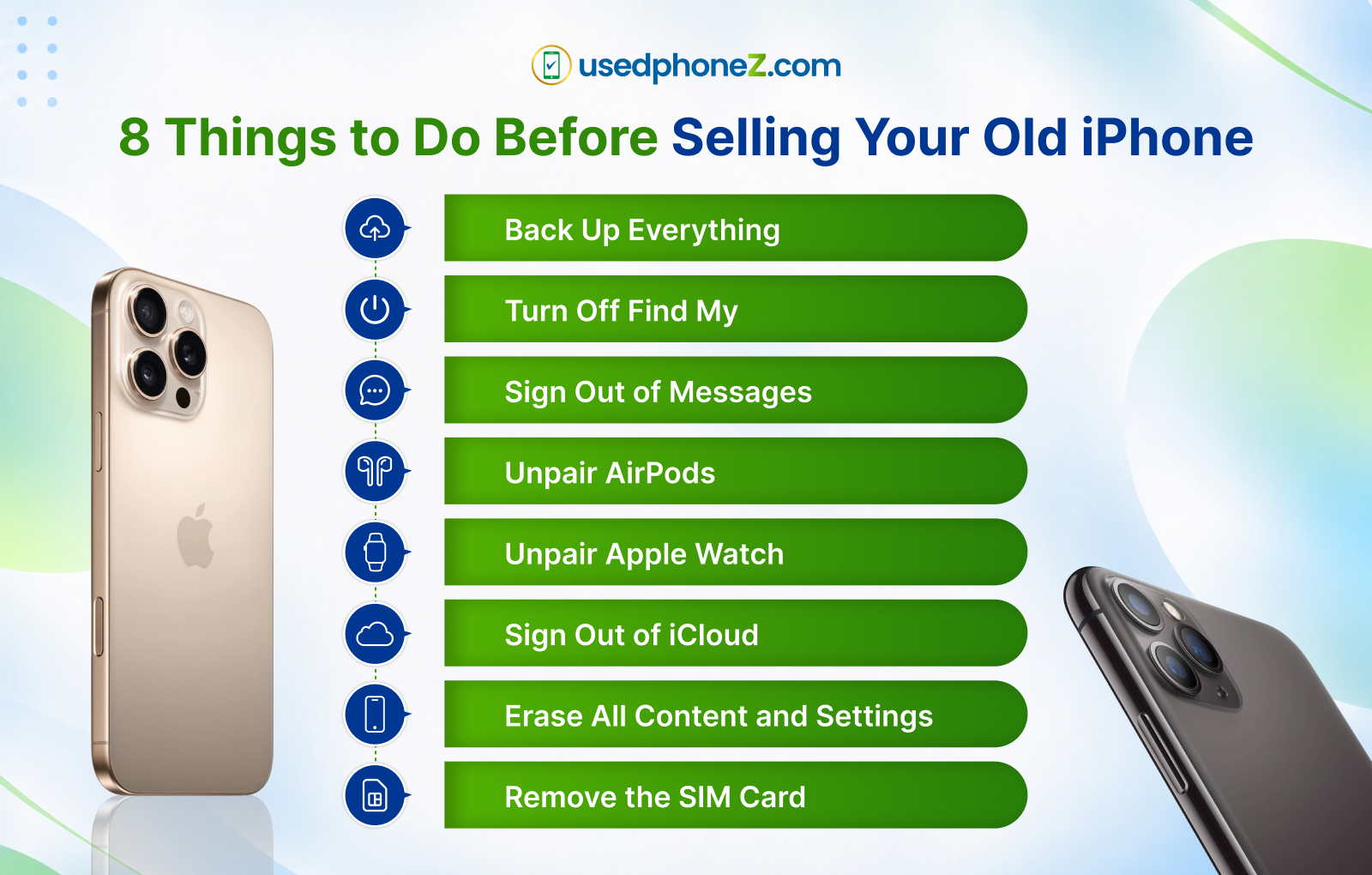
Whether you sell to Apple, a carrier, or a cash buyer, prep is what protects your data and your payout. A phone that is properly wiped and unlocked is worth more and easier to sell. Follow these steps in order.
1. Back up everything
Do not lose your data. Back up before you wipe.
To back up to iCloud from the device, go to Settings, tap your name, then choose iCloud, iCloud Backup, and Back Up Now.
To back up to a Mac, connect your iPhone by cable or Wi-Fi. On macOS Catalina or later, open Finder, select your iPhone, then choose General, Back Up All of the Data on Your iPhone to This Mac, and Back Up Now. On an earlier Mac or a Windows PC, use iTunes: open it, click the phone icon, then choose Summary and Back Up Now.
2. Turn off Find My
Apple’s Find My can block the next owner from activating the phone. Erasing all content and settings turns it off automatically, but do this first as a safeguard. Go to Settings, tap your name, choose Find My, disable it for the device, enter your Apple Account password, and tap Turn Off.
3. Sign out of Messages
Years ago, people who switched from iPhone to Android without logging out of Messages had texts vanish into “iMessage purgatory.” It has since been fixed, but it is still smart to turn iMessage off. Go to Settings, Apps, Messages, and disable iMessage.
4. Unpair your AirPods
You can pair AirPods to a new iPhone without unpairing the old one, but a clean slate avoids headaches. Place your AirPods and iPhone near each other, go to Settings, Bluetooth, tap the info icon next to your AirPods, and select Forget This Device.
5. Unpair your Apple Watch
Save yourself a future headache and unpair your watch from the iPhone you are selling. Keep both nearby, open the Apple Watch app, go to My Watch, All Watches, tap the info circle next to your watch, then tap Unpair Apple Watch and confirm. You may need your Apple Account password.
On a GPS plus Cellular model, you will be asked whether to keep or remove your cellular plan. Since you are selling the phone, remove it. If you are not pairing the watch to a new iPhone, you may need to call your carrier to cancel the plan.
6. Sign out of iCloud
Sign out of iCloud, iTunes, and the App Store before selling. Go to Settings, tap your name, choose Sign Out, enter your Apple Account password, and tap Turn Off.
7. Erase all content and settings
Once your new phone is set up and you are ready to sell, go to Settings, General, Transfer or Reset iPhone, Erase All Content and Settings, and approve the prompts. This fully wipes the device.
8. Remove the SIM card
Apple moved to eSIM starting with the iPhone 14 lineup, but older phones have a physical SIM. That little card holds your phone number, billing details, and security data, so remove it before selling. Find the SIM tray, insert a paper clip or SIM ejector until the tray pops out, take out the card, and reinsert the empty tray.
Once these steps are done, your phone is clean, secure, and ready to fetch its best price.
The best place to sell your phone: UsedphoneZ
Here is where most people leave money on the table. Apple’s trade-in program is convenient, but it pays you in store credit locked to an Apple purchase, and its offers are geared toward pristine devices. Carriers do the same thing, usually as bill credit spread over 24 or 36 months, not cash you can actually use.
UsedphoneZ pays real cash, on the spot, and the offer is not tied to buying anything from Apple. That is the difference that matters when you are trying to soften a $1,299 price tag. Here is why UsedphoneZ is the smarter place to sell.
- You get cash, not store credit.
Walk out paid the same day, or get paid as soon as your mailed-in device arrives. Spend it however you want. - They buy phones others reject.
Cracked screen, bad battery, or water damage? Apple and carriers slash or refuse those offers. UsedphoneZ still pays cash for damaged devices, so a phone you assumed was worthless can still put money in your pocket. - They buy more than iPhones.
Sell your Samsung Galaxy, iPad, MacBook, Apple Watch, or game console in the same trip. You can get a fast cash offer for your old device whether it is Apple or Android. - Local and nationwide.
Bring it into the Lafayette store, or request a prepaid shipping label and sell from anywhere in the US. - A real store with a real track record.
UsedphoneZ has served the Acadiana community for years, with a 4.9 star rating across 240-plus reviews and more than 8,500 customers served. You can read more about the team behind UsedphoneZ before you decide.
Thinking about the upgrade too?
Instead of pouring your cash into Apple’s checkout, you can put it toward a phone with no contract and no credit check. Take your UsedphoneZ cash and upgrade to a newer iPhone for as little as $50 down, then pay the rest in small weekly amounts. It is the low-stress way to jump to a newer model without dropping four figures up front.
Apple trade-in vs cash buyer: quick comparison
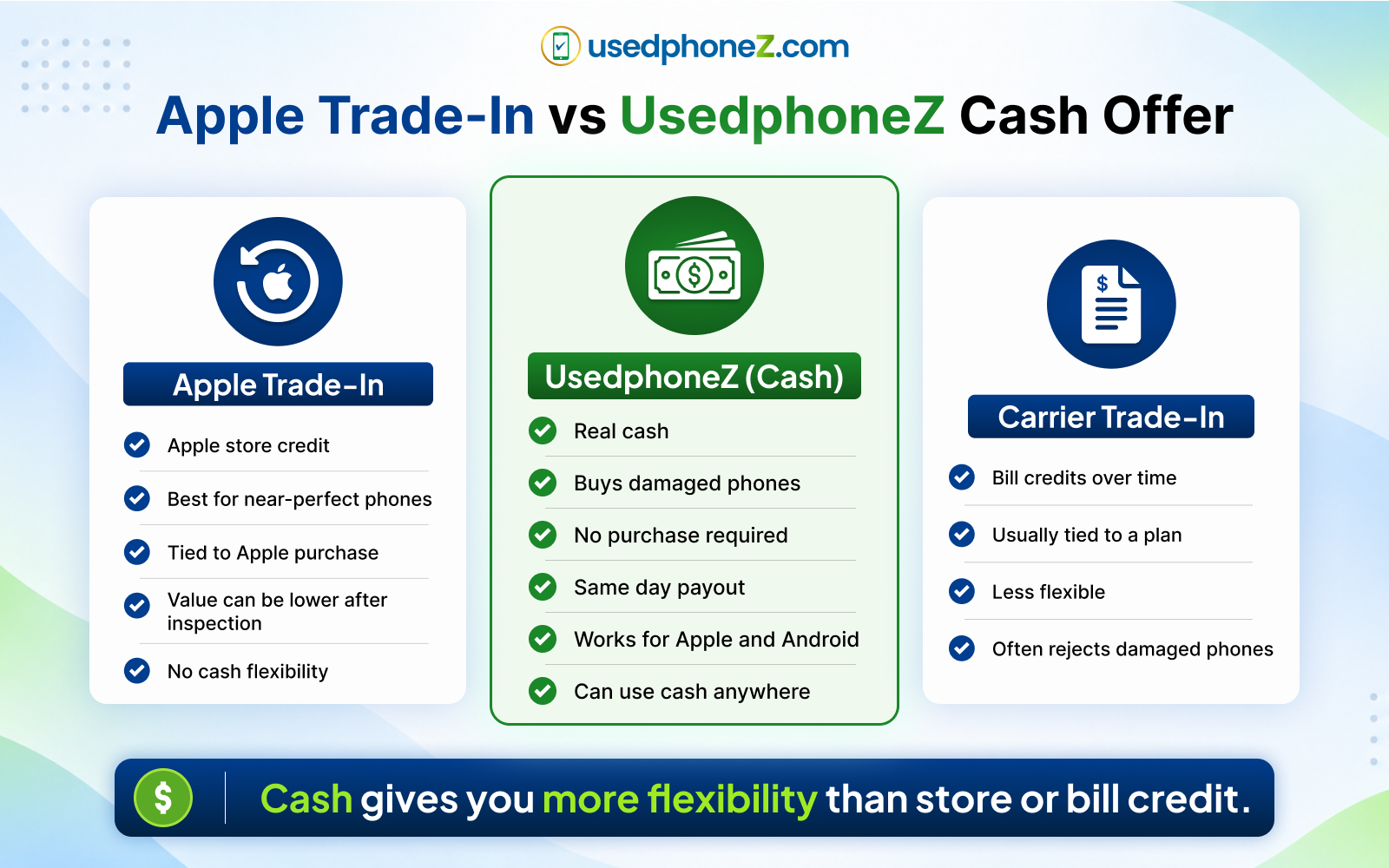
| What matters | UsedphoneZ (cash) | Apple trade-in (credit) | Carrier trade-in (bill credit) |
| Payout type | Real cash | Apple store credit | Bill credit over 24 to 36 months |
| Buys damaged phones | Yes | Limited or refused | Limited or refused |
| Tied to a new purchase | No | Yes, Apple only | Yes, with plan or upgrade |
| Speed | Same day | Varies | Applied over time |
| Buys Android and other devices | Yes | Limited | Limited |
| Can go toward a no credit check upgrade | Yes | No | No |
If you are set on buying directly from Apple and your phone is flawless, Apple’s credit is fine. If you want actual cash, the ability to sell a damaged phone, or the freedom to spend your money anywhere, a cash buyer wins.
Common mistakes that cost you money
- Waiting until after the iPhone 18 Pro launches to sell.
Values usually drop fastest right after a new model drops. Selling before or right at launch tends to lock in a higher number. - Skipping the wipe and unpair steps.
An offer can be reduced if the phone still has Find My on or is not properly reset. - Assuming a cracked phone is worthless.
It is not. Get a quote before you toss it in a drawer. - Taking the first offer without comparing.
Apple’s max value, a carrier quote, and a cash offer can differ by a lot. Check all three. - Locking your money into store credit when you needed flexibility.
Cash goes further, especially toward a no credit check upgrade.
Get your cash offer before values drop
The iPhone 18 Pro is coming, prices are climbing, and your current phone is worth the most it will be for a while. Prep it with the steps above, then get a real number before the launch-day value drop.
Get a fast, fair cash offer for your old phone today.
See what your device is worth at UsedphoneZ, or call or visit the Lafayette store to get paid on the spot.
Ready to move straight into a newer model? Apply in about 60 seconds with no credit check and put your cash toward $50 down.
Frequently asked questions
How do I get the most money for my old iPhone?
Back up and wipe it properly, turn off Find My, sign out of iCloud, unpair your watch and AirPods, and remove the SIM. Then compare a cash offer against Apple and carrier trade-in values. Cash buyers like UsedphoneZ often pay more and pay you immediately, with no requirement to buy anything.
When is the best time to sell my iPhone before the iPhone 18 Pro?
Sell before or right around the launch. Trade-in and resale values typically fall fastest in the weeks after a new model is released, so selling early usually locks in a higher price.
Will I get more from Apple trade-in or a cash buyer?
Apple pays in store credit toward an Apple purchase and tends to reserve top values for near-perfect phones. A cash buyer pays actual cash you can spend anywhere, will often buy damaged devices Apple won’t, and can beat Apple’s number, so it is worth comparing both.
Can I sell a cracked or water-damaged iPhone?
Yes. Apple and carriers often reduce or reject damaged devices, but UsedphoneZ still pays cash for cracked, water-damaged, or non-working phones. Get a quote before assuming it has no value.
Do I need to remove my SIM card before selling?
Yes, if your phone has a physical SIM. It stores your number, billing, and security data. iPhones from the iPhone 14 lineup onward use eSIM, so there is no physical card to remove.
What if I want a newer phone but can’t pay the full price up front?
You can sell your old phone for cash and put it toward a newer iPhone or Samsung with no credit check, starting at $50 down, then pay the rest in small weekly payments. It avoids the large upfront cost of buying new from Apple.
Does selling my phone to UsedphoneZ require buying something?
No. You can sell for cash with no obligation to buy anything. If you do want to upgrade, you can apply your cash toward a no credit check lease, but that is entirely your choice.